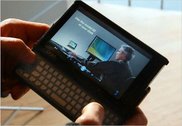
UMPC Triumphs over Pen and Paper...at least this once today
I hit a milestone today. I actually chose my UMPC over a nearby pen and paper. I was at client's store today overseeing the beta-launch of a new order management system. The store manager was using the system and suddenly offered up a great idea for a UI change. My instinct was too quickly locate a pen and paper to jot the thought down. My eyes caught a pen across the cash wrap but there was no paper in site. There were a few receipts but I thought better of confiscating any of those. In the moment, I realized that it would be both faster and better if I simply brought the Q1 out of standby and jotted the notes down in OneNote. And that's exactly what I did.
The significance of this only hit me later. Here was a perfect example of how the UMPC actually won out over a tried and true method of note taking. It occured to me that in order to win this particular battle, the UMPC had to meet the following criteria:
- Physically, the Q1 had to be more readily available than a pen and paper.
- The Q1 had to adapt to my environment (e.g. I was standing in a crowded and busy cash wrap.)
- The Q1 had to snap on from standby quickly.
- A method of text entry had to be immediately available (OneNote's side note).
- Text recognition had to be accurate and speedy.
In previous times, one or all of the requirements would not have been available. Either the device would have been too large to have warranted my picking it up as I headed over to the store, or the text recognition would have been too inaccurate. For me however, today was the first time that all these elements came together to create a successful note taking experience.
There were some rough spots and I want to capture those now:
- The cash wrap area was small and the counters were full with merchandise. This necessitated that I hold the Q1 in one hand and write with the other. While the Q1 is small, it is a bit too large to accomplish this task naturally.
- Hibernation. While my Q1 was in standby it could have easily gone into hibernation mode in which case the resume time would have been too slow and this use case would have failed. Lesson learned: the UMPC should be aware of its environment and usage. For example, accelerometers could tell it that it is being held. HID drivers could determine if the pen has been used recently or is being used. The UMPC could then use this information to prevent itself from going into hibernation until it was placed down again for some amount of time.
- OneNote defaulted to ink mode and not recognition mode. When I selected a place on the note, the TIP did not appear. This setting should be user configurable.
I'd like to end the post with the benefits of the Tablet over Paper:
- Because the cash wrap was crowded and busy, it necessitated that I stand and write. I would have had a difficult time trying to write down any notes on a single sheet of paper while standing. The Q1, while a bit bulky was imminently usable while standing.
- Because I use OneNote to take all my notes, I now have all the benefits associated with the notes being digital: they are searchable, can be integrated with Outlook Todo tasks, filed and emailed easily.
- I saved a tree.